Presenting Meant Switching Apps. So I Built HoverBoard.
On this page
I didn’t set out to build a presentation suite. I set out to stop breaking my own screen share mid-sentence.
If you’ve ever said “one second, let me switch apps” on Zoom, Meet, or Teams — then come back to a quiet room and a lost thread — you already know the pain. That friction is why HoverBoard exists.
New here? Start with the How to Use HoverBoard complete guide — install, every mode, hotkeys, free vs Pro, and troubleshooting.
The mid-call shuffle
I present a lot. Training sessions, demos, walkthroughs of whatever is on screen.
The pattern was always the same:
- I’m sharing a slide, a browser, or an IDE
- Someone asks a question that needs a circle, an arrow, or a freeze
- I alt-tab into another annotation tool (or worse, stop sharing)
- By the time I’m back, half the room has checked Slack
Tools that can draw over the screen usually want to be the main event — a separate window, a separate mode, a separate mental context. I didn’t need theater software. I needed a thin overlay that respected whatever I was already sharing.
What “good enough” wasn’t
Keyboard screenshots and Markup. Sticky notes. A second display for a whiteboard. A browser timer in another tab for breaks.
Each of those “works” once. None of them work when you’re live and the next beat of the workshop is already waiting.
What I actually needed:
- Draw on top of anything — without leaving the share
- Spotlight / cursor emphasis — so people stop asking “where?”
- Freeze the frame when the UI is about to change under me
- A real whiteboard / mindmap when the conversation leaves the deck
- A break timer that the room can see — not one I forget in Notes
- Hotkeys — because hunting a menu mid-sentence is how you lose the room
That list became HoverBoard’s design constraints.
Building HoverBoard as an overlay
HoverBoard lives in the macOS menu bar. Every tool is a hotkey away. Try any tool free for 30 seconds; unlock the full app with a one-time Pro license — no subscription.
See it in action
A short demo of draw, spotlight, and the overlay flow:
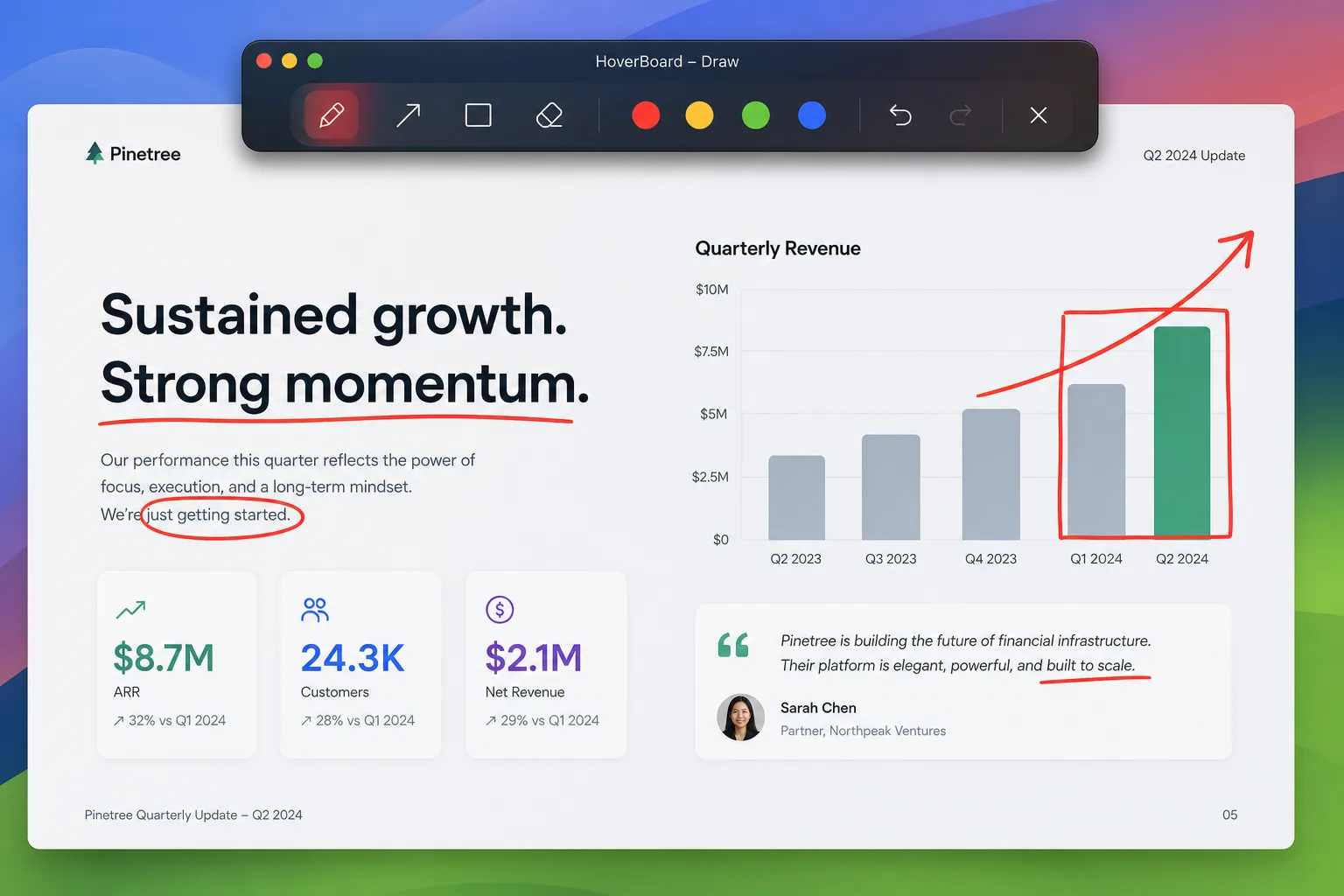
Draw in the moment
Pen, highlighter, laser, arrows, shapes — annotate live over whatever you’re sharing. Auto-fade or keep until you dismiss.
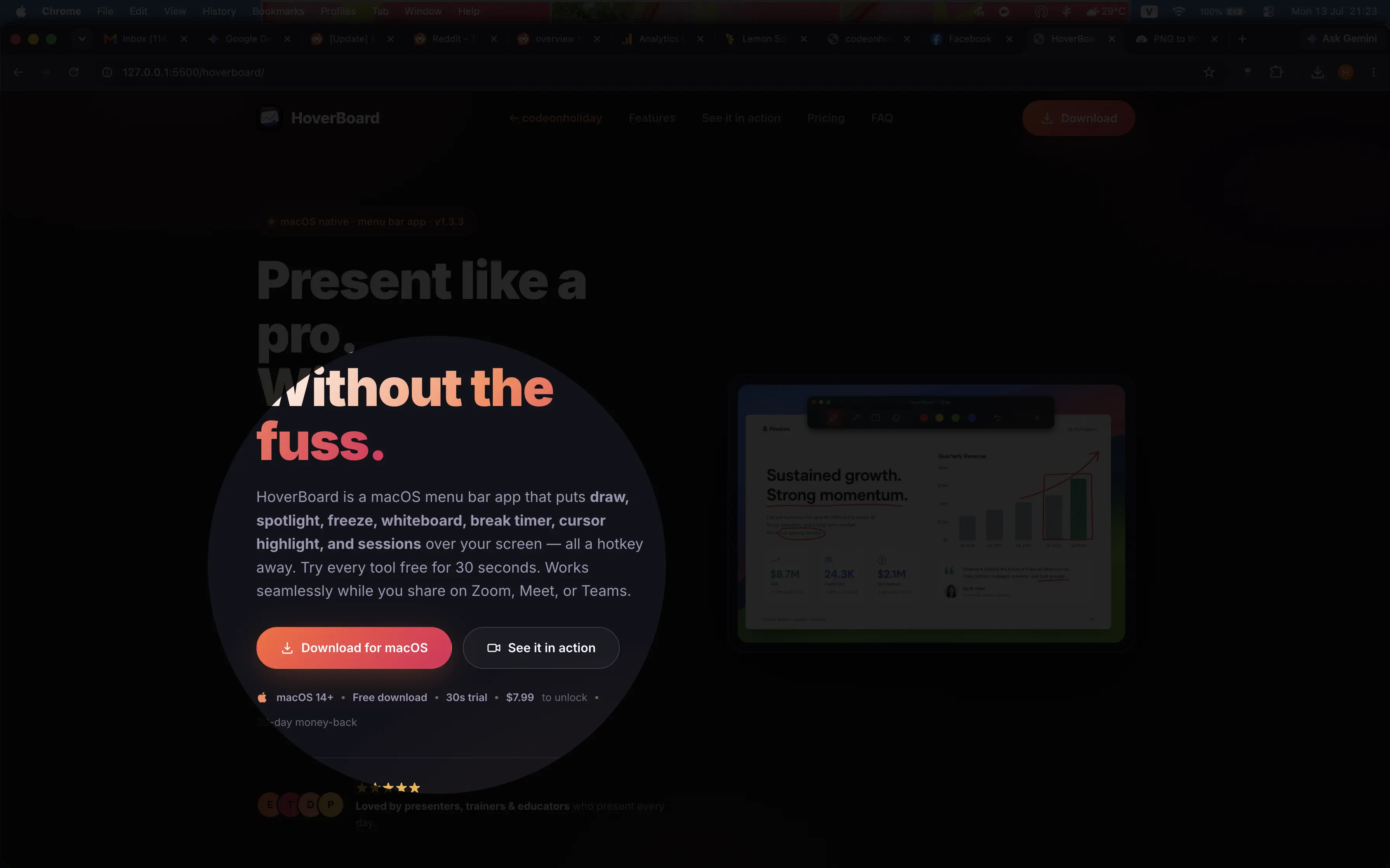
Spotlight so people follow your pointer
Dim the screen and leave a soft spotlight on the cursor. Click-through stays enabled so you can still interact with the app underneath.
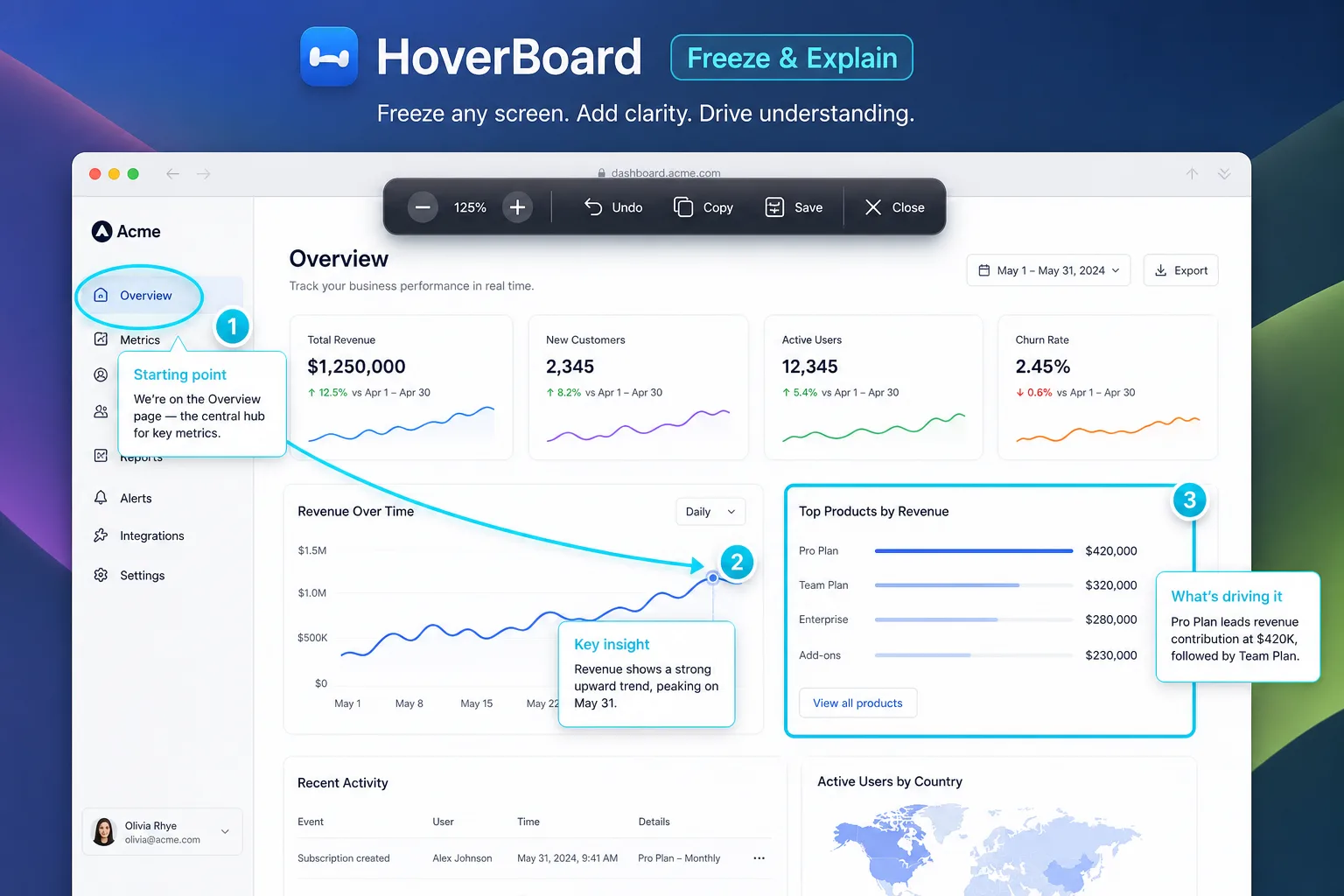
Freeze when the screen is about to move
Lock a frame so you can talk about what’s on screen without the UI changing under you — useful for live demos and flaky UIs.
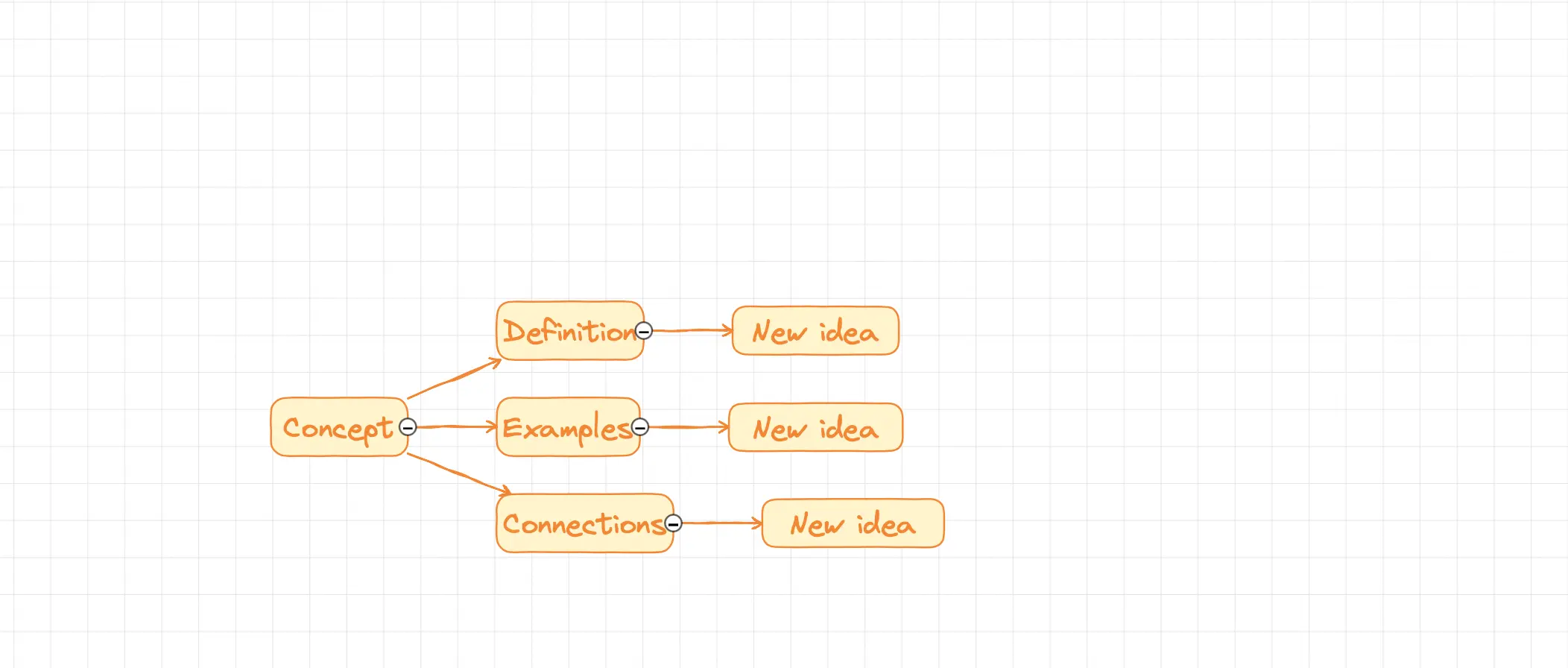
Whiteboard and mindmap without leaving the call
Open an infinite whiteboard for side discussions, then come back. Mindmap nodes, fountain pen, collapse branches — still an overlay, still hotkey-driven.
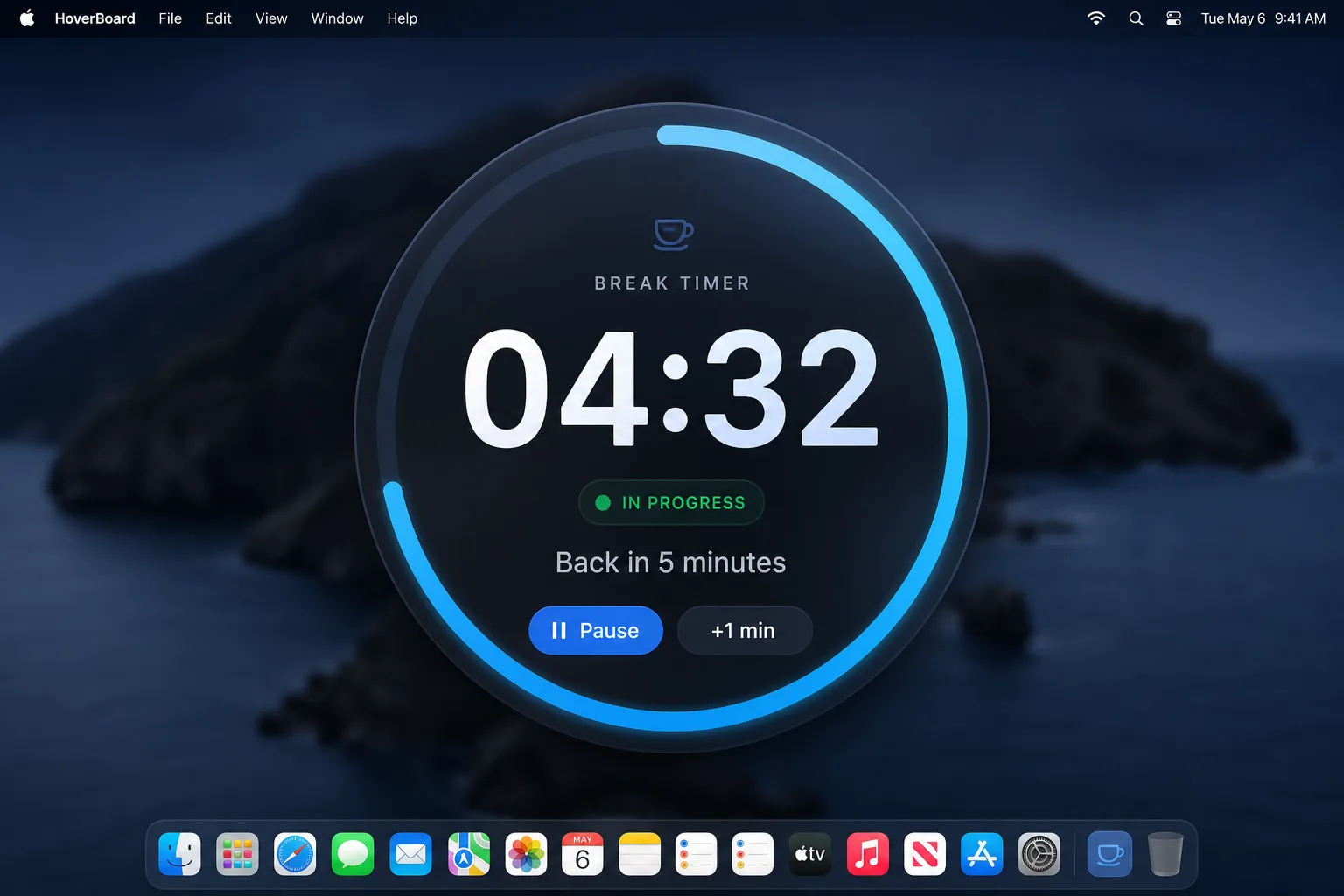
Breaks that the room can see
Set a countdown — fullscreen or corner — so “five minutes” stays five minutes.
How the pieces fit together
flowchart LR
  Share[Screen share] --> HB[HoverBoard overlay]
  HB --> Draw[Draw]
  HB --> Spot[Spotlight]
  HB --> Freeze[Freeze]
  HB --> Board[Whiteboard]
  HB --> Timer[Break timer]
  Draw --> Session[Sessions Pro]
  Freeze --> Session
  Board --> Session
Pro also adds Sessions: capture frames from Draw, Freeze, or Whiteboard into a local library, reorder them, and export PNG set or multi-page PDF — everything stays on your Mac.
What changed once I stopped switching apps
The metric wasn’t feature count. It was interruptions.
Fewer “wait, let me open…” moments. Fewer lost questions. Longer stretches where I could stay in the material and let the overlay do the visual work.
HoverBoard isn’t meant to replace Keynote or your deck. It’s the layer on top when the conversation leaves the slide.
Who it’s for
HoverBoard is for people who:
- Present or train over Zoom / Meet / Teams on a Mac
- Hate breaking screen share just to circle something
- Want hotkeys over another floating toolbox you’ll never learn
- Prefer a one-time license and local-first Sessions over another SaaS
Try it
Download HoverBoard. Every tool has a 30-second free trial so you can feel the interrupt mid-share before you buy. Pro is a one-time unlock — no subscription.
I built it because presenting meant switching apps. I kept shipping it because the overlay turned out to be the whole product — not a feature bolted onto something else.