MeetingBar App Alternative for Mac — Meetly vs MeetingBar
On this page
Looking for the MeetingBar app or a more visible MeetingBar alternative for Mac? Meetly and MeetingBar both put meetings in your menu bar, but they solve different problems.
There are two very different ways to miss a meeting on a Mac.
You can forget what is coming up because your calendar is buried in another window. Or you can see a notification, dismiss it without thinking, and continue working until the call has already started.
Both MeetingBar and Meetly solve the first problem by putting your meetings in the macOS menu bar. They help you see what is next and join online calls without opening your calendar and hunting through the event.
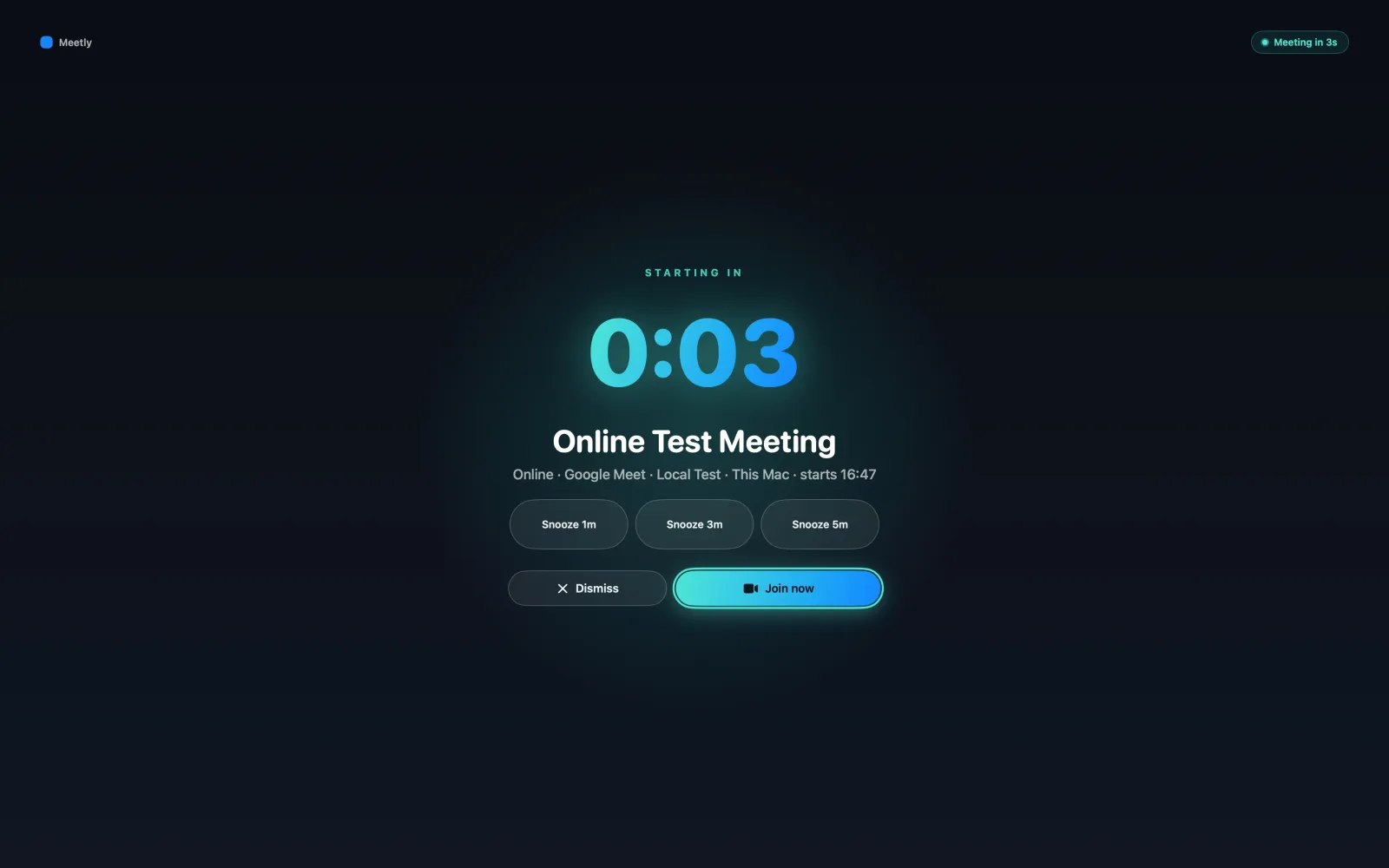
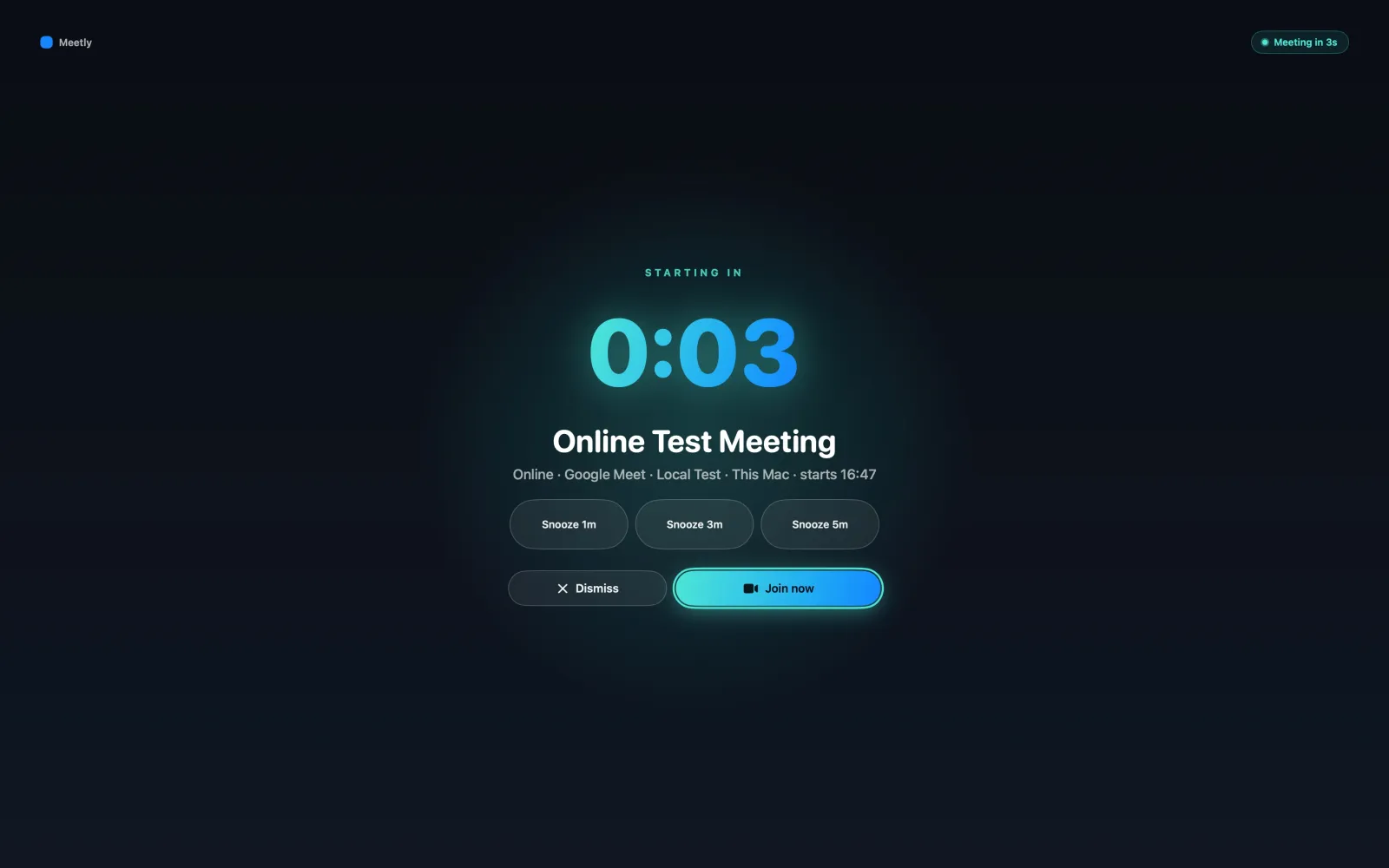
Meetly takes a different approach to the second problem: when a meeting is about to start, it puts a fullscreen reminder in front of you.
The right choice depends on whether you want a quiet meeting launcher, or a meeting reminder that is deliberately difficult to miss. If you searched for “meetingbar app” because you want a menu bar meeting utility, Meetly is worth comparing when missing the meeting—not finding the link—is the real problem.
The short version
MeetingBar is a mature, open-source menu bar app for keeping upcoming calendar meetings and join links close at hand. It supports a wide range of meeting services and is a strong choice if you mainly want a lightweight agenda and one-click joining workflow.
Meetly is a native macOS meeting reminder built around attention. The free core provides the menu bar schedule, fullscreen reminders, and one-click joining. Pro adds the pinned Quick Panel, share-free-time tools, post-meeting action items, quiet hours, screen-share privacy, Apple Reminders support, and iCloud sync across Macs.
The pricing is different too:
- MeetingBar: free and open source, with optional support and App Store purchases
- Meetly: free version, with Meetly Pro Lifetime at $6.99 (was $9.99) one-time until 30 Sep 2026
What MeetingBar does well
MeetingBar has a clear and useful job: put your calendar meetings at your fingertips.
According to its official project page, it can:
- Show the next meeting in the macOS menu bar
- Display upcoming events from today and tomorrow
- Read events from your macOS calendars
- Show meeting links, notes, locations, and attendees
- Join meetings with one click
- Join the next online meeting with a keyboard shortcut
- Create new meetings in supported services
- Open meetings in a chosen app or browser
- Show notifications for upcoming events
- Support more than 50 meeting services, including Zoom, Google Meet, Microsoft Teams, Webex, and Discord
- Run custom AppleScript actions when an event starts
That breadth is MeetingBar’s biggest strength. It is an open-source, community-driven utility that stays out of the way until you need to check the agenda or join a call.
If your ideal workflow is “look at the menu bar, click the next meeting, and get on with it,” MeetingBar is a sensible choice.
What Meetly does differently
Meetly is also a native menu bar app, but it is designed around the moment immediately before a meeting begins.
A reminder you cannot casually ignore
macOS calendar notifications are easy to miss. They appear in a corner, compete with other notifications, and disappear while you are focused on work.
Meetly fires a fullscreen reminder across your displays, with the meeting title, time, countdown, and clear actions to Join, Snooze, or Dismiss.
The goal is not to interrupt you constantly. It is to make the important interruption visible enough that you can make a conscious decision before the meeting starts.
One-click joining from the reminder
When an event contains a Zoom, Google Meet, Microsoft Teams, or other supported meeting link, Meetly surfaces it directly in the reminder and, on Pro, Quick Panel.
You do not need to open Calendar, expand the event, search through notes, or decide which browser tab contains the right link.
Quick Panel for the day ahead
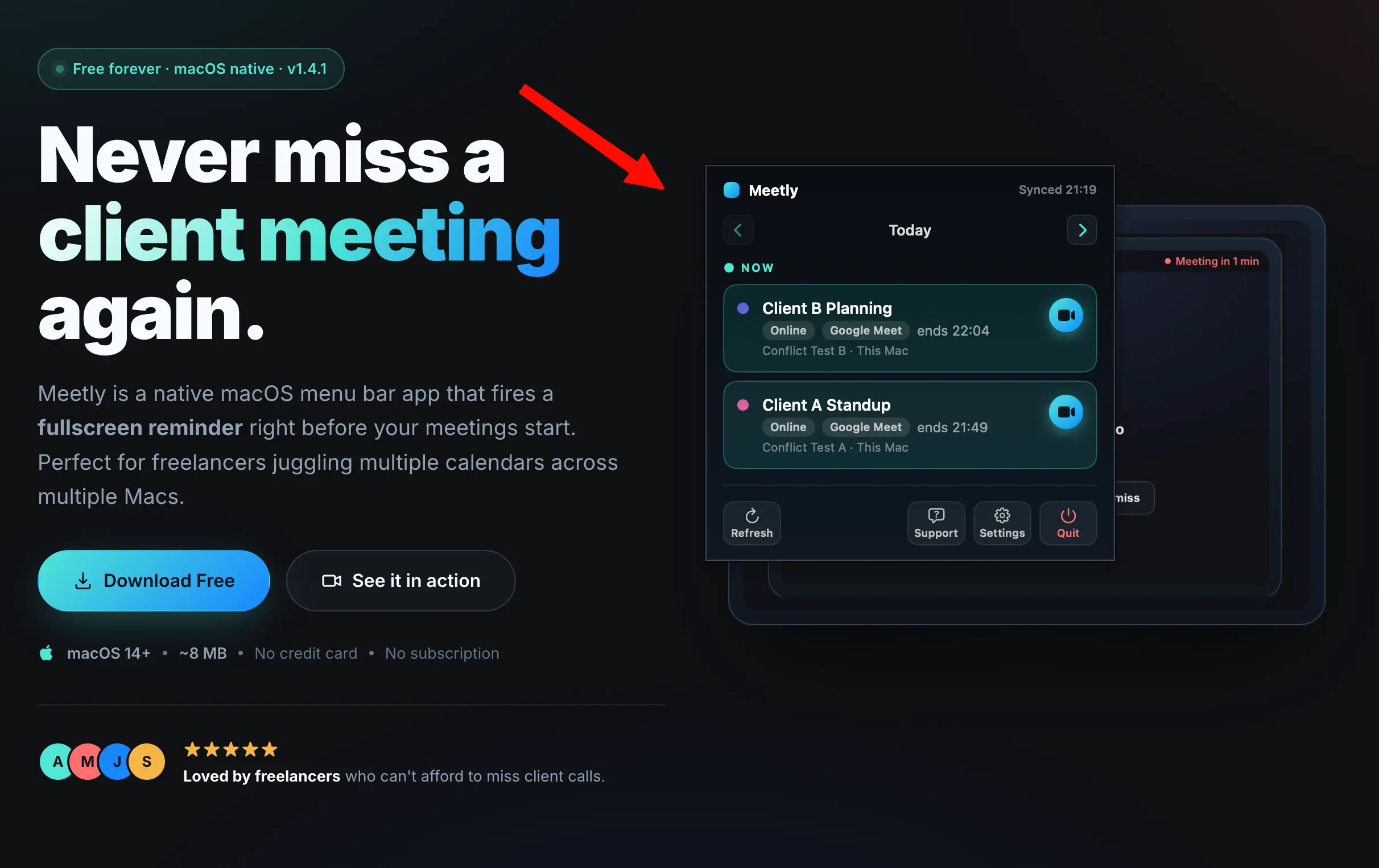
The menu bar icon is useful for a quick glance. On Pro, the pinned Quick Panel gives you a larger view of what is coming up without opening Calendar.
It is designed for planning around meetings: see the next call, inspect the rest of the day, and use the Pro share-free-time tool when someone asks when you are available.
More than one calendar
Meetly Free is useful with one calendar. Pro unlocks unlimited calendars, which is helpful if you separate work, personal, client, and project schedules.
Meetly can watch calendars that appear in macOS Calendar, including Google, Outlook, iCloud, and Exchange setups. Pro also adds Apple Reminders with due dates, so tasks can use the same reminder workflow as meetings.
Quiet hours and screen-share privacy
Not every meeting deserves the same interruption. Meetly Pro includes quiet hours and screen-share privacy controls so you can decide when fullscreen reminders should appear and how much meeting detail should be visible while sharing your screen.
Sync state across Macs
If you use more than one Mac, Meetly Pro can sync meeting actions through your own iCloud container. Dismiss, join, snooze, and mute state can follow you between Macs without Meetly operating a cloud calendar backend.
Meetly’s privacy model is local-first: calendar data stays on your Mac, while optional sync uses your own iCloud. Meetly does not upload event titles, attendees, locations, notes, or reminder content to codeonholiday.
Meetly vs MeetingBar feature comparison
| Capability | MeetingBar | Meetly |
|---|---|---|
| macOS menu bar app | Yes | Yes |
| Show the next meeting | Yes | Yes |
| Show upcoming events | Yes | Yes |
| One-click meeting join | Yes | Yes |
| Keyboard shortcut to join | Yes | Yes |
| Support for many meeting services | 50+ services | Common meeting links and apps |
| Fullscreen meeting reminder | — | Yes |
| Join, snooze, and dismiss from reminder | — | Yes |
| Pinned daily Quick Panel | — | Pro |
| Share free time | — | Pro |
| Post-meeting action items | — | Pro |
| Apple Reminders integration | — | Pro |
| Quiet hours | — | Pro |
| Screen-share privacy controls | — | Pro |
| iCloud sync across Macs | — | Pro |
| Open source | Yes | No |
| Price | Free | Free + Pro |
| Pro price | — | $6.99 (was $9.99) one-time |
This is not a claim that one app replaces the other for every person. MeetingBar has a strong advantage if open source, broad meeting-service coverage, and a free menu bar utility are your priorities.
Meetly has a strong advantage if your main problem is missing meetings rather than merely finding their links.
Which one should you choose?
Choose MeetingBar if you want:
- A free and open-source meeting menu bar app
- A compact agenda of upcoming events
- Broad support for meeting services
- One-click or keyboard-based joining
- A utility that stays quiet until you ask for it
Choose Meetly if you want:
- Fullscreen reminders that are hard to miss
- A clear countdown before important meetings
- Join, snooze, and dismiss actions from the reminder
- A pinned Quick Panel for the day (Pro)
- Free-time sharing and post-meeting action items (Pro)
- Apple Reminders alongside calendar events (Pro)
- Quiet hours and screen-share privacy (Pro)
- iCloud sync across multiple Macs (Pro)
- A one-time Pro purchase instead of a subscription
The real difference is attention
MeetingBar answers the question:
“What meetings do I have, and how do I join the next one?”
Meetly answers a slightly different question:
“How do I make sure I notice the meeting before it starts?”
If you already have a reliable system for checking your calendar, MeetingBar may be all you need. It is free, open source, and very capable for its core job.
If you regularly miss meetings while deep in code, design, writing, or research, Meetly is built for that exact failure mode. The fullscreen reminder is the product’s central idea, not an afterthought.
Meetly is free to download, with fullscreen reminders on one calendar available at no cost. Pro Lifetime is $6.99 (was $9.99) one-time until 30 Sep 2026 with a 14-day money-back guarantee.
Try Meetly for macOS and see whether a stronger interrupt helps you protect your schedule without turning your calendar into another full-time task.
MeetingBar keeps meetings close. Meetly makes the important ones impossible to miss.