Best Fullscreen Calendar Reminder for Mac — Meetly and Alternatives
On this page
The best fullscreen calendar reminder for Mac is the one that can interrupt Focus Mode deep work without becoming noise all day. Banner notifications from Calendar are easy to miss on a second display. Fullscreen (or hard) alerts exist because knowledge workers dismiss corners of the screen on autopilot.
This guide compares Meetly, In Your Face, Meety’s Hard Alert, and stock macOS Calendar notifications — with an eye on multi-display setups, joining Zoom/Meet/Teams, and whether you want more than an alarm.
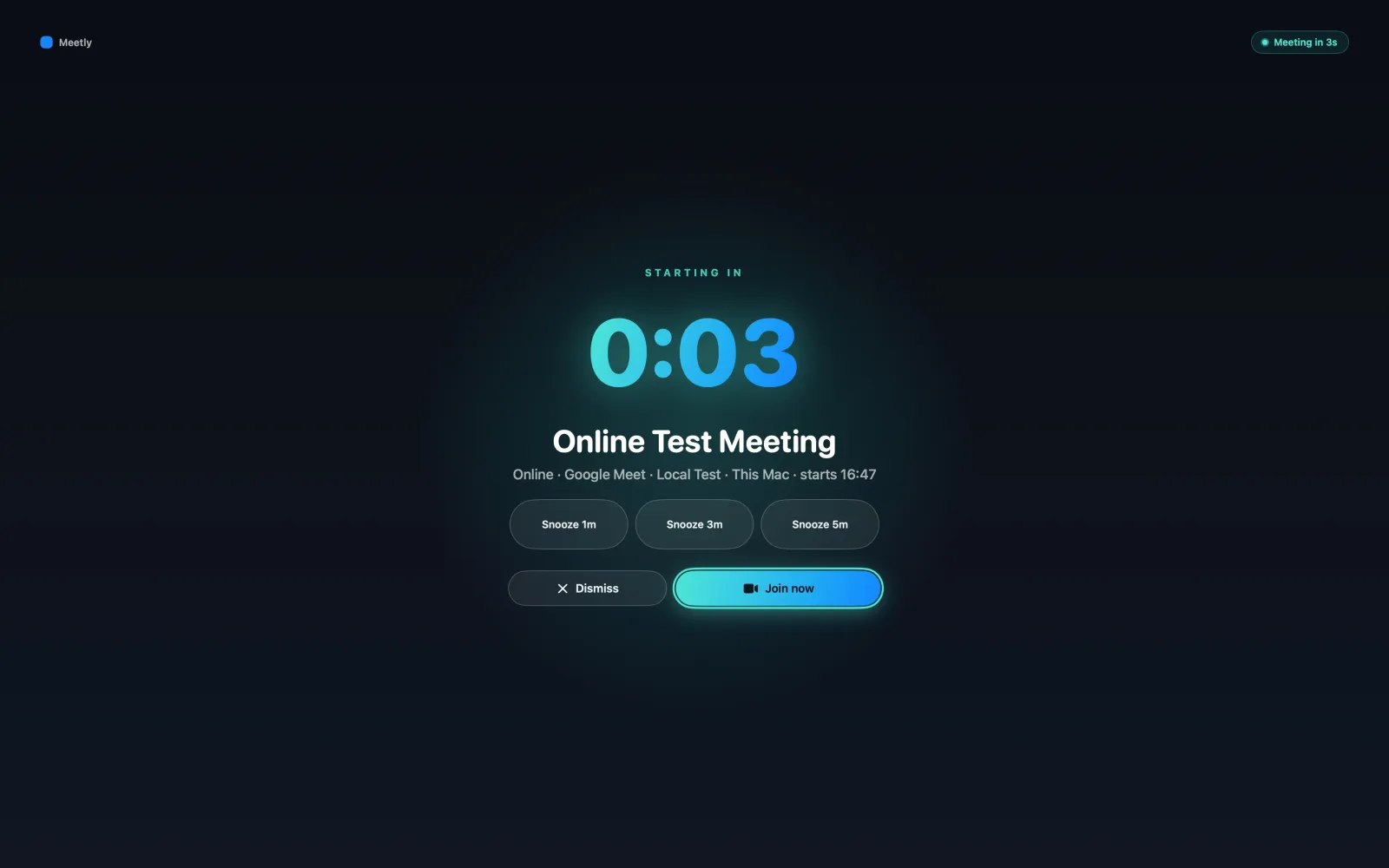
What a fullscreen calendar reminder must do
- Appear large enough that you cannot pretend you did not see it
- Work when another app is fullscreen or on another monitor
- Show enough context (title, time, countdown) to decide in one second
- Offer Join / Snooze / Dismiss when the event is a meeting
- Avoid training you to reflex-dismiss everything
Meetly: best all-round fullscreen meeting reminder for Mac
Meetly is built around the moment before a meeting starts. It shows a fullscreen reminder across displays, with live countdown and actions to join, snooze, or dismiss. The same app keeps a menu bar schedule, with a pinned Quick Panel on Pro for the rest of the day.
Why it ranks first for many Mac users
- Fullscreen attention is the product, not a theme
- One-click join for common meeting links
- Calendars via macOS Calendar (Google, Outlook, iCloud, Exchange, …)
- Free plan for the core workflow; Pro Lifetime $6.99 (was $9.99) one-time until 30 Sep 2026 for Quick Panel, free-time sharing, post-meeting action items, unlimited calendars, Apple Reminders, privacy controls, and Mac↔Mac iCloud state sync
Deep comparisons: Meetly vs In Your Face, Meetly vs Meety, Best meeting reminder app for macOS.
In Your Face: best specialist full-screen event alert
In Your Face popularized the category. Choose it when the alert itself — customization, sounds, themes, and Apple-device reach — matters more than a Mac-only meeting workflow.
Meety Hard Alert: best Google Calendar intensity dial
Meety lets you escalate alert strength, including Hard Alert, with Google Calendar as a common center of gravity. Choose it when alert levels and Google-centric agenda views are the priority.
macOS Calendar notifications: best when you already never miss anything
Built-in banners and timed alerts are free and integrated. They lose when Focus modes, multi-monitor layouts, or deep work make corner notifications invisible. Use them as a baseline, not as a solution to chronic missed standups.
Comparison
| Option | Fullscreen / hard alert | Meeting workflow extras | Pricing sketch |
|---|---|---|---|
| Meetly | Yes | Join; Pro Quick Panel + privacy | Free + $6.99 Pro Lifetime (was $9.99) |
| In Your Face | Yes | Broad alert customization | Check App Store |
| Meety | Hard Alert + levels | Google-centric calendar UX | Check Meety plans |
| Calendar.app | Banners / alerts | Native only | Free |
Recommendation
If your problem is missing meetings on a Mac during deep work, start with Meetly. If your problem is alerts across iPhone and Watch, evaluate In Your Face first. If your problem is Google Calendar alert intensity, evaluate Meety.
Download Meetly for macOS 14+ and test whether a true fullscreen interrupt fixes the meetings Calendar banners keep losing.