CleanShot X Alternative for Presenting — HoverBoard vs CleanShot X
On this page
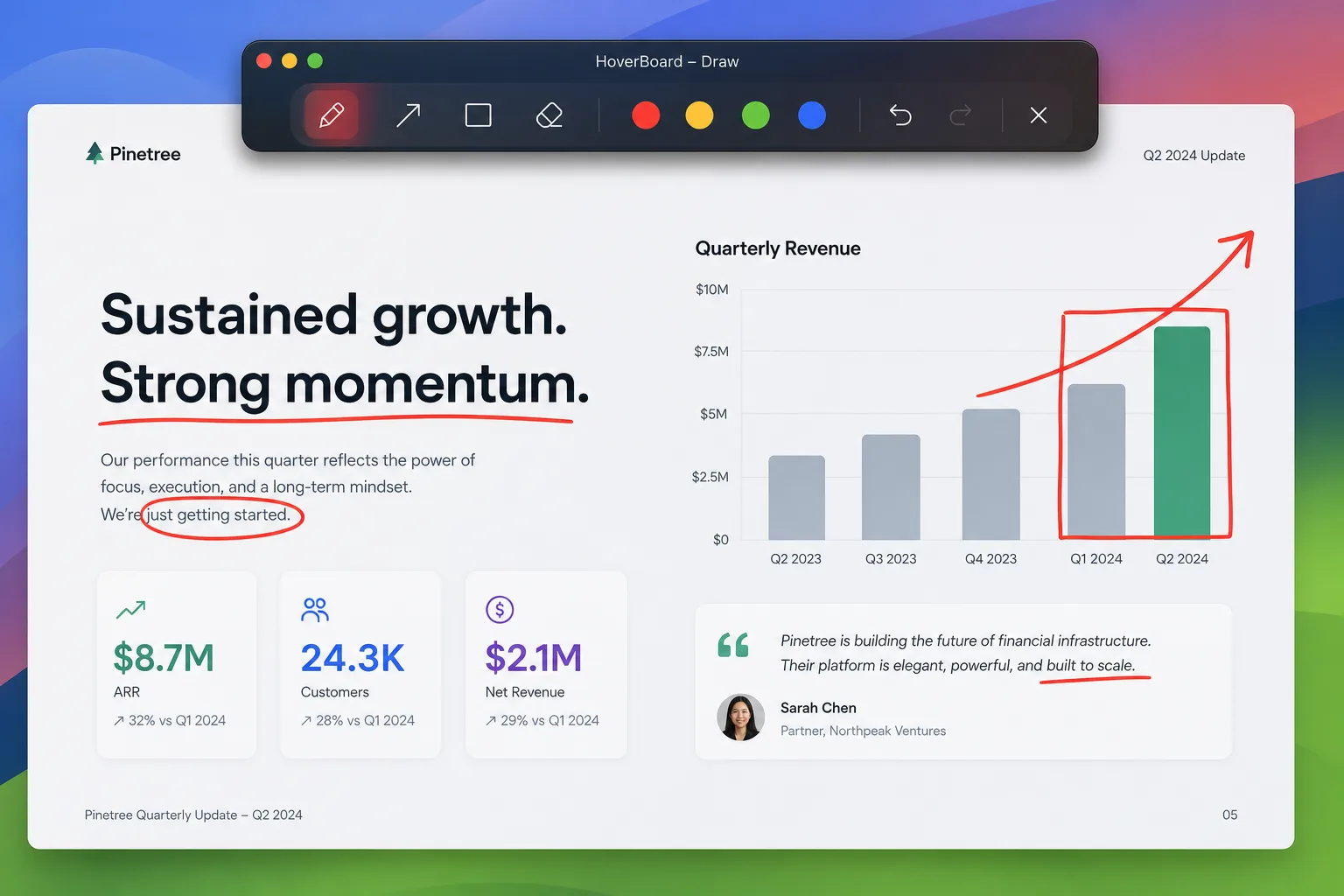
Looking for a CleanShot X alternative because you present, teach, or demo on Mac every day? Be careful what you replace. CleanShot X is one of the best screenshot and capture utilities on macOS. HoverBoard is a live presentation and screen-annotation toolkit. They overlap on “something is on my screen,” not on the same job.
If you need scrolling capture, annotate-after-capture, OCR, and a polished screenshot history, CleanShot X remains the specialist. If you need to draw, spotlight, freeze, whiteboard, screenshot, screen record, and show keystrokes while the screen is already shared, HoverBoard is the better CleanShot alternative for presenting — with Screenshot and Screen Record free forever, not a clone of CleanShot’s full capture suite.
The short version
CleanShot X wins at capturing and editing what happened on screen.
HoverBoard wins at explaining what is happening live over Zoom, Meet, Teams, Keynote, or an IDE.
| CleanShot X | HoverBoard | |
|---|---|---|
| Primary job | Screenshots, recording, capture tools | Live annotation & teaching overlays |
| Draw while presenting | Annotate captures; not the core live overlay suite | Draw / Freeze / Whiteboard over any app |
| Pricing | Check CleanShot (license + updates) | Screenshot, Screen Record, Spotlight & Break Timer free; Pro Lifetime $11.19 (was $15.99) one-time until 30 Sep 2026 |
Do not buy HoverBoard expecting CleanShot’s screenshot workflow. Do not buy CleanShot expecting HoverBoard’s Freeze & Explain teaching loop.
What CleanShot X does well
CleanShot X is famous for good reasons:
- Fast screenshot and screen recording workflows
- Annotation and markup on captures
- Scrolling capture, pin screenshots, OCR, and cloud upload options depending on plan
- A capture-centric toolkit that power users keep open all day
- Excellent fit for bug reports, docs, and async communication
If your day is “capture → annotate → share,” CleanShot X is hard to beat. Many presenters happily run CleanShot and a separate overlay app.
What HoverBoard adds for presenting
HoverBoard is a native macOS menu bar app for the moments during a live explanation.
Draw over the live screen
Pen, highlighter, arrows, shapes, and text over whatever you are already sharing. Marks can auto-fade or stay until dismissed.
Freeze & Explain
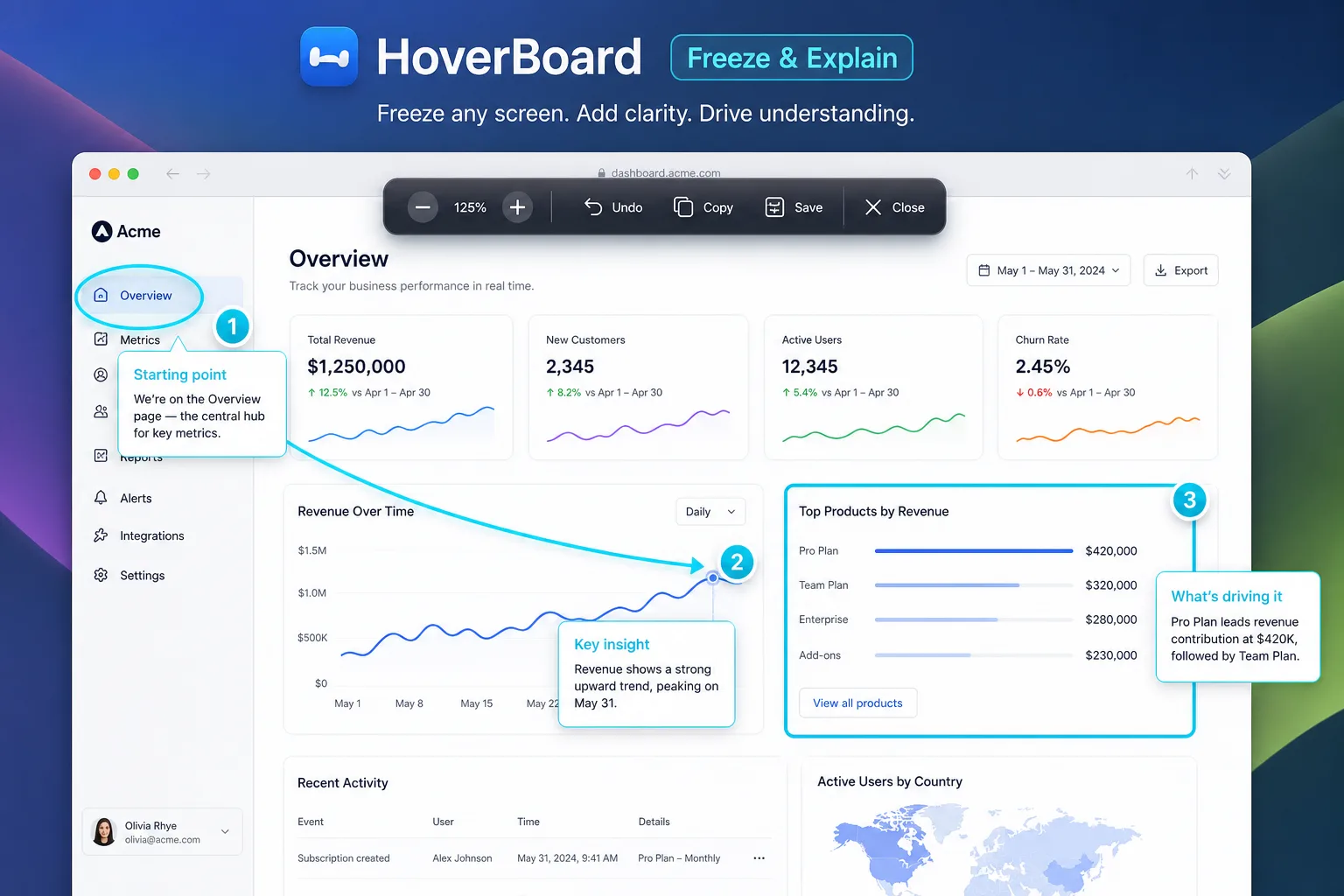
When a UI moves too fast, Freeze captures the frame so you can annotate and talk at teaching pace, then return to live.
Screenshot & Screen Record (free)
HoverBoard 1.4 adds region / full-display screenshots with Copy, Save, and markup (⌃⌥G) and screen recording with mic/system audio, a record pill, and trim/speed export (⌃⌥V). Both are free forever — useful when you teach live and need a still or MP4 without opening CleanShot or QuickTime.
See best free screenshot tool for Mac and best free screen recorder for Mac.
Whiteboard, Cursor Halo, Keystrokes, Sessions
Infinite whiteboard with export options, cursor halo and click effects, live keystroke display for tutorials, private Markdown notes, Sessions for saving frames, and local recording workflows on supported Macs. Spotlight and Break Timer stay free forever; other tools include a 60-second Pro trial.
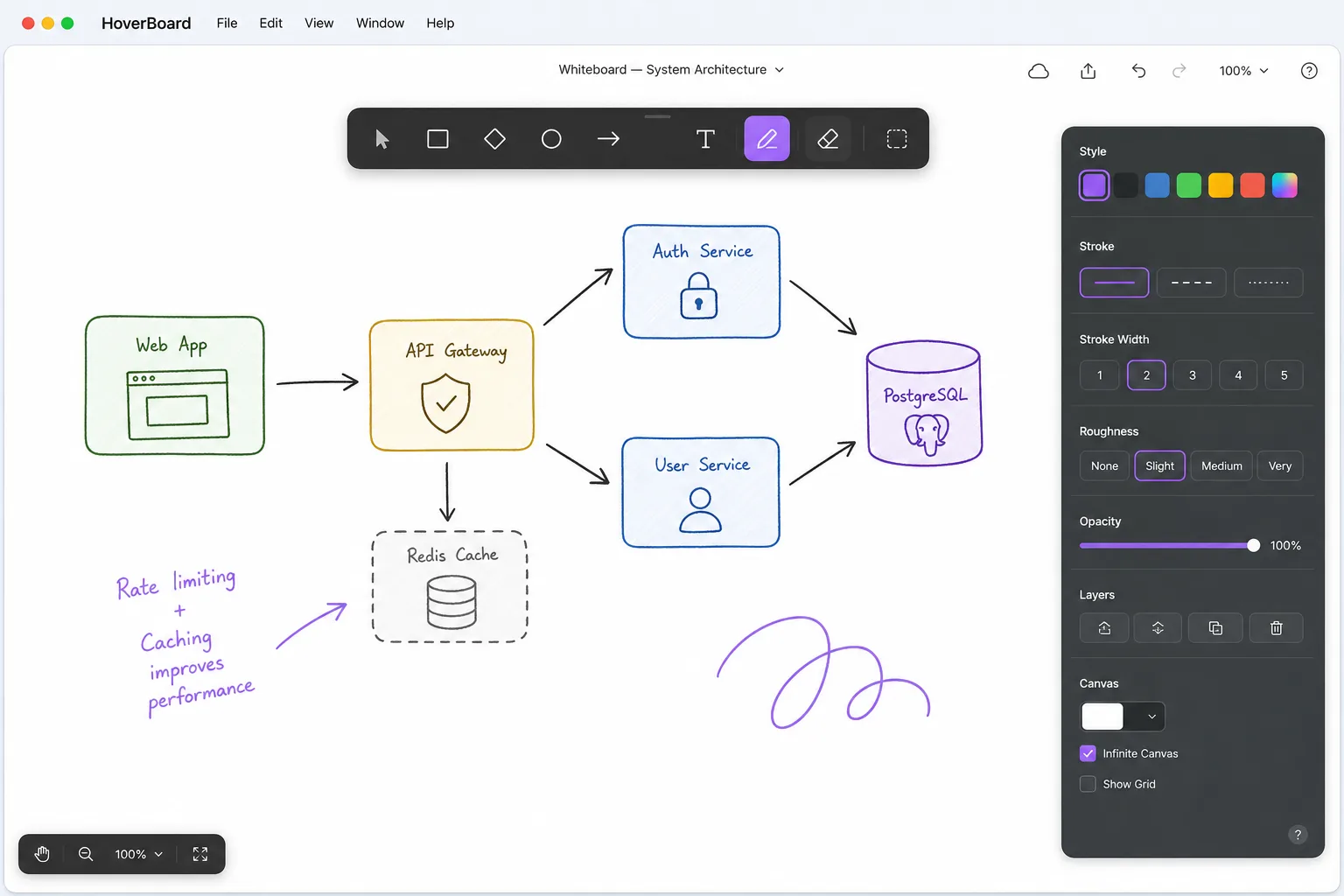
HoverBoard does not try to replace CleanShot’s scrolling screenshots, OCR, or capture history. Basic screenshot and screen record are free; advanced capture remains CleanShot’s home turf.
Feature comparison (honest categories)
| Capability | CleanShot X | HoverBoard |
|---|---|---|
| Screenshots & capture toolkit | Excellent | Region/full + markup (free); not scrolling/OCR |
| Screen record + trim / speed | Strong | Full/Selection/Window + editor (free) |
| OCR / scrolling capture | Yes | — |
| Live draw over any app while presenting | Limited / different | Yes |
| Freeze live UI to explain | — | Yes |
| Teaching whiteboard | — | Yes |
| Cursor halo / keystroke HUD | — | Yes |
| Break timer overlay | — | Free |
| Local presentation Sessions / PDF export | Capture-oriented | Sessions (Pro) |
| One-time purchase style | License model | Pro Lifetime $11.19 (was $15.99) |
Which one should you choose?
Choose CleanShot X if you want the best Mac screenshot and capture utility.
Choose HoverBoard if you want a CleanShot X alternative for presenting — live annotation, freeze, whiteboard, and teaching tools while you share your screen.
Choose both if you capture async and teach live. That is a common, rational setup.
Bottom line
CleanShot X documents the screen. HoverBoard teaches with the screen.
HoverBoard Pro Lifetime is $11.19 (was $15.99) one-time until 30 Sep 2026. Screenshot, Screen Record, Spotlight, and Break Timer are free forever.
Try HoverBoard for the next live demo — keep CleanShot for the next bug report.
Also compare HoverBoard vs Presentify if you are shopping pure annotation overlays.