Best Free Screen Recorder for Mac — HoverBoard Capture, Trim & Speed
On this page
Need a free screen recorder for Mac that captures your display with mic and system audio, lets you keep presenting while the red dot is on, and exports MP4 without a subscription? QuickTime Recorder is free but basic. Loom and Screen Studio optimize for polished async video. HoverBoard 1.4 adds Screen Record free forever — built for people who record while they teach, demo, or annotate live.
What to look for in a Mac screen recorder
- Capture modes — full display, region, or a single window
- Audio — microphone and system sound toggles
- Does not block your flow — draw or spotlight while recording
- Edit before share — trim dead air, speed up, crop
- Local files — MP4 on disk, no required cloud account
HoverBoard Screen Record — free forever
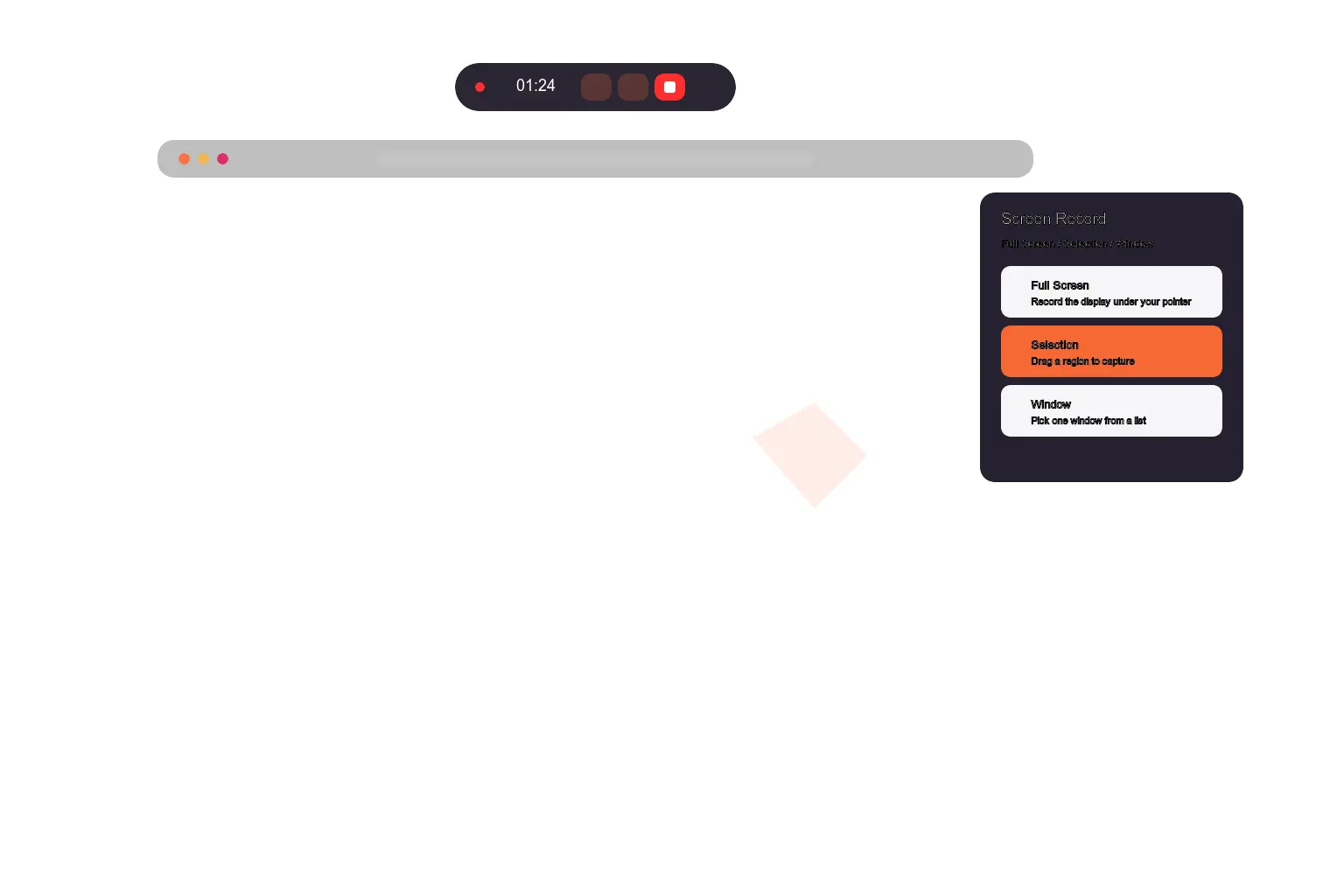
Press ⌃⌥V to open the mode chooser:
- Full Screen — record the display under your pointer
- Selection — drag a region
- Window — pick one window
A floating record pill shows timer, mic and system audio toggles, and Finish (the only way to stop). After Finish, trim with Keep / Split / Delete, change speed up to 10×, crop, then Save or Save As to ~/Movies/HoverBoard Recordings/.
Screen Record does not start the Pro trial. It is separate from Notes meeting recording (transcription and summaries — Pro workflow).
Guides: How to use HoverBoard Screen Record · Complete guide
Best for
- Tutorial creators who annotate with Draw while recording
- Demos where you need trim + speed without opening iMovie
- Teams that want local MP4 without Loom hosting
Honest limits
HoverBoard is not Loom or Screen Studio. No instant share links, no cinematic auto-zoom, no team video library. For async polish, record with HoverBoard live, then edit in Screen Studio — see Loom / Screen Studio alternative.
QuickTime Player — free and built in
QuickTime records screen and audio with minimal setup. Editing is limited; trimming often means another app. Fine for quick clips; thin for teaching workflows with overlay tools.
Loom / Screen Studio — best for shareable async video
Loom excels at record → link → comment. Screen Studio excels at beautiful cursor motion and creator-grade exports. Choose them when the deliverable is a hosted or heavily edited video, not a live annotated demo.
Comparison
| Tool | Price | Mic + system audio | Trim / speed editor | Record while annotating |
|---|---|---|---|---|
| QuickTime | Free | Partial / manual | Basic | No overlay stack |
| Loom | Freemium / paid | Yes | Cloud editor | Separate workflow |
| Screen Studio | Paid | Yes | Strong | Separate workflow |
| HoverBoard Screen Record | Free forever | Yes (toggles) | Yes (local) | Yes — Draw stays available |
Screen Record vs meeting recording in HoverBoard
| Screen Record (⌃⌥V) | Notes meeting recording | |
|---|---|---|
| Output | MP4 video file | Transcript + summary |
| Price | Free forever | Pro |
| Best for | Demos, tutorials, screen capture | Conversations, standups |
You cannot run both at once.
Bottom line
For a free Mac screen recorder with region/window modes, audio toggles, and a local trim/speed editor — inside the same app as Draw and Spotlight — start with HoverBoard 1.4.
Keep Loom or Screen Studio when the goal is a polished link for people who were not in the room.
Download HoverBoard free · Related: Best free screenshot tool for Mac · Zoom / Meet annotation